Meta description: Dropped your phone in water? Follow this step-by-step guide for the first hour, skip the rice myth, and clear water from your speaker safely.
It happens in a second. The phone slips into the sink, a pool, a puddle or a cup of tea. What you do in the next hour matters more than anything you do the next day. Most modern phones survive a short dunk, but bad first moves can turn a small problem into a repair bill.
Here is a calm, practical plan.
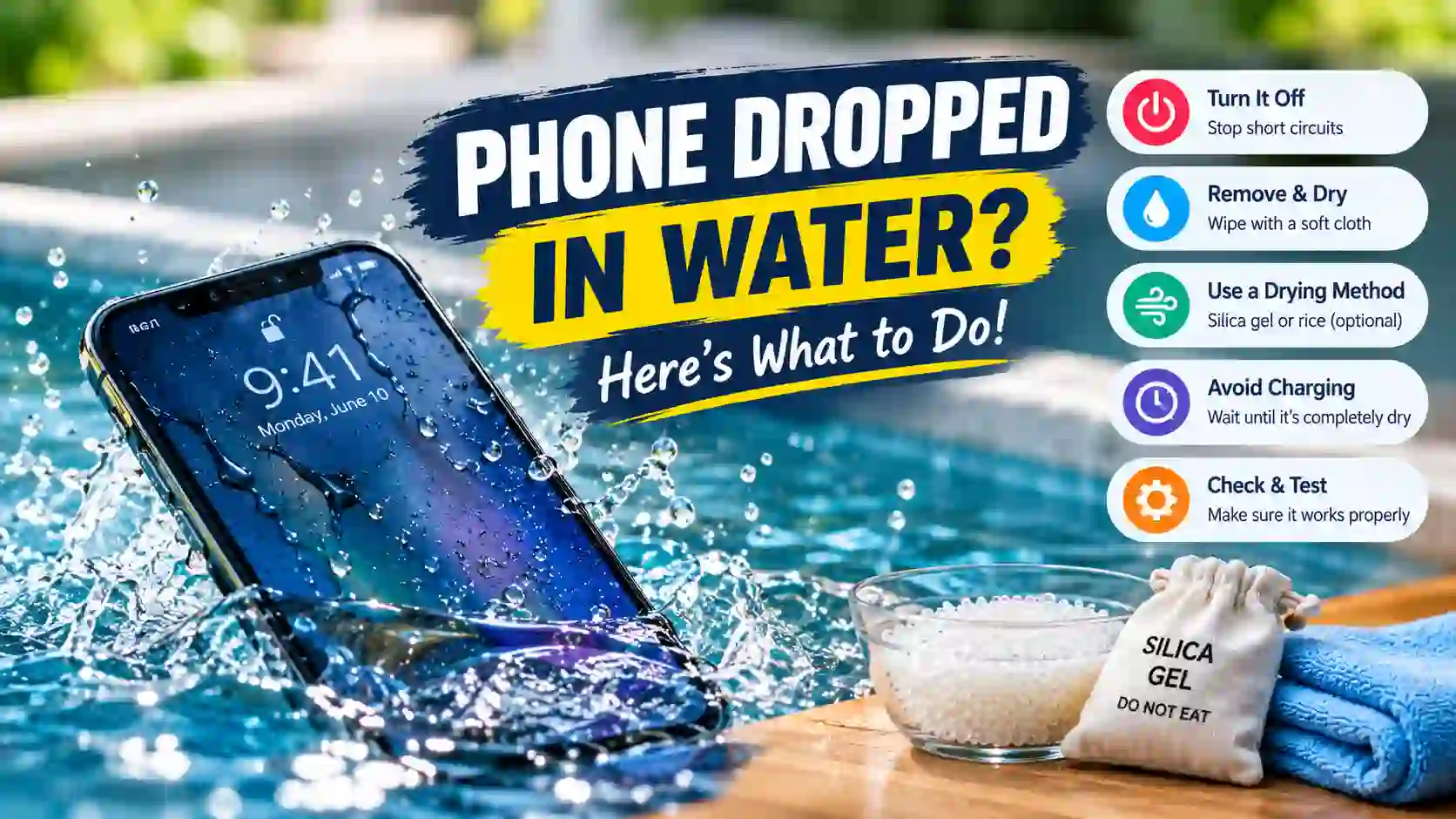
Step 1: Get it out and turn off what you can
Pull the phone out right away. Every extra second lets water travel further into the ports and gaps.
If the screen is on and working, you don’t have to power it off in a panic. Do turn off anything that makes heat or current, though. Unplug the charger, take it off any wireless pad, and stop any game or video. If the screen is flickering or acting strangely, power it off.
Step 2: Remove the case and dry the outside
Cases trap water against the phone. Take it off, along with any card wallet or pop-socket.
Wipe the phone with a soft, lint-free cloth. Pay attention to the bottom edge, where the charging port, speaker and microphone sit. Don’t push the cloth or a cotton swab into the openings; that only drives water deeper.
If you can, remove the SIM tray. It lets air into one more part of the phone.
Step 3: Skip the rice
Putting a wet phone in a bag of rice is the most common advice, and one of the least helpful. Rice doesn’t pull water out of sealed parts any faster than open air does. It can also leave starch dust and tiny grains in the ports. Apple now advises against it directly.
A dry, airy spot works better. Stand the phone upright with the charging port facing down, so gravity helps the water drain out. A gentle, cool fan nearby helps. A hair dryer on heat doesn’t: heat can damage the battery and soften the adhesives that keep your phone water resistant.
Step 4: Push water out of the speaker
The speaker is usually the first thing you notice after a dunk. Music and calls sound muffled, quiet or buzzy because water is sitting on the speaker mesh and weighing down the small diaphragm.
You can use the speaker itself to fix this. A low tone around 165 Hz makes the speaker cone move a long way back and forth. That movement pushes water droplets out through the grille. You’ll often see tiny drops appear on the speaker holes while the tone plays.
You don’t need to install anything. A free browser-based water eject tool plays the right tone at the right pattern:
- Turn your volume all the way up.
- Hold the phone with the speaker facing down.
- Play the tone for 30 to 60 seconds.
- Wipe away any drops, then repeat two or three times.
Apple Watch has a built-in water lock that does something similar, but iPhones don’t. If you’re on an iPhone, an iPhone water eject sound that runs in Safari does the same job without a Shortcut.
Step 5: Wait before charging
Never plug in a phone with a wet charging port. Water plus current can corrode the pins, and many phones will block charging anyway with a “liquid detected” warning.
Wait at least 30 minutes, and longer if the phone went fully under. If you need power urgently, use a wireless charger once the back of the phone is completely dry. Most phones allow it even when the port is still damp.
Step 6: Test everything
After an hour or two, check the basics:
- Speaker: play music at medium volume. Clear sound means you’re fine. Slight muffling usually clears with another round of the cleaning tone and more drying time.
- Microphone: record a short voice note. Sound can’t push water out of a mic, so if it’s muffled, give it more drying time.
- Camera: look for fog inside the lens. Fog usually clears within a day in a dry room.
- Touch screen: try tapping and swiping across the whole screen.
- Charging: once dry, plug in and confirm it charges normally.
When to get a repair
Get professional help if the phone won’t turn on, gets hot, smells burnt, or keeps restarting. Do the same if the screen shows lines or the sound stays distorted after a full day of drying. Salt water and sugary drinks are worse than fresh water, because they leave residue that corrodes over time. If your phone took a swim in the sea or in soda, a technician’s cleaning is worth it even if it seems fine.
The short version
Get it out fast, take off the case, and dry the outside. Skip the rice and stand it port-down in open air. Clear the speaker with a low tone, and don’t charge until the port is dry. Most phones come through a quick dunk just fine. These steps give yours the best chance.